Your folders are the library
Framekeep is a fast image viewer for the Mac that works directly on the folders you already have. Nothing to import, nothing to wait for.
Coming to the Mac App Store · macOS 14 or later · Free, with a one-time Pro unlock
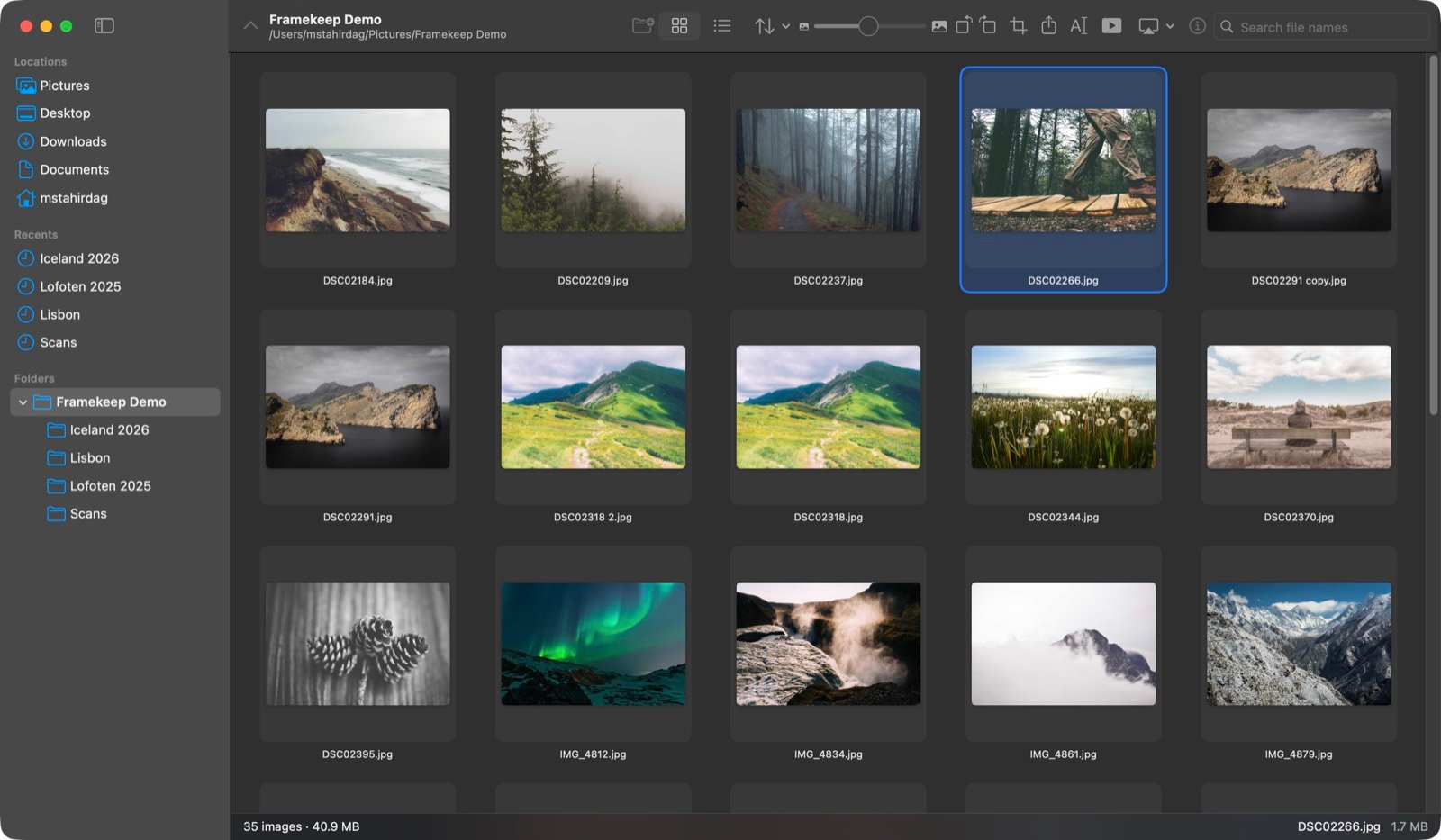
Framekeep is a fast image viewer for the Mac that works directly on the folders you already have. Nothing to import, nothing to wait for.
Coming to the Mac App Store · macOS 14 or later · Free, with a one-time Pro unlock
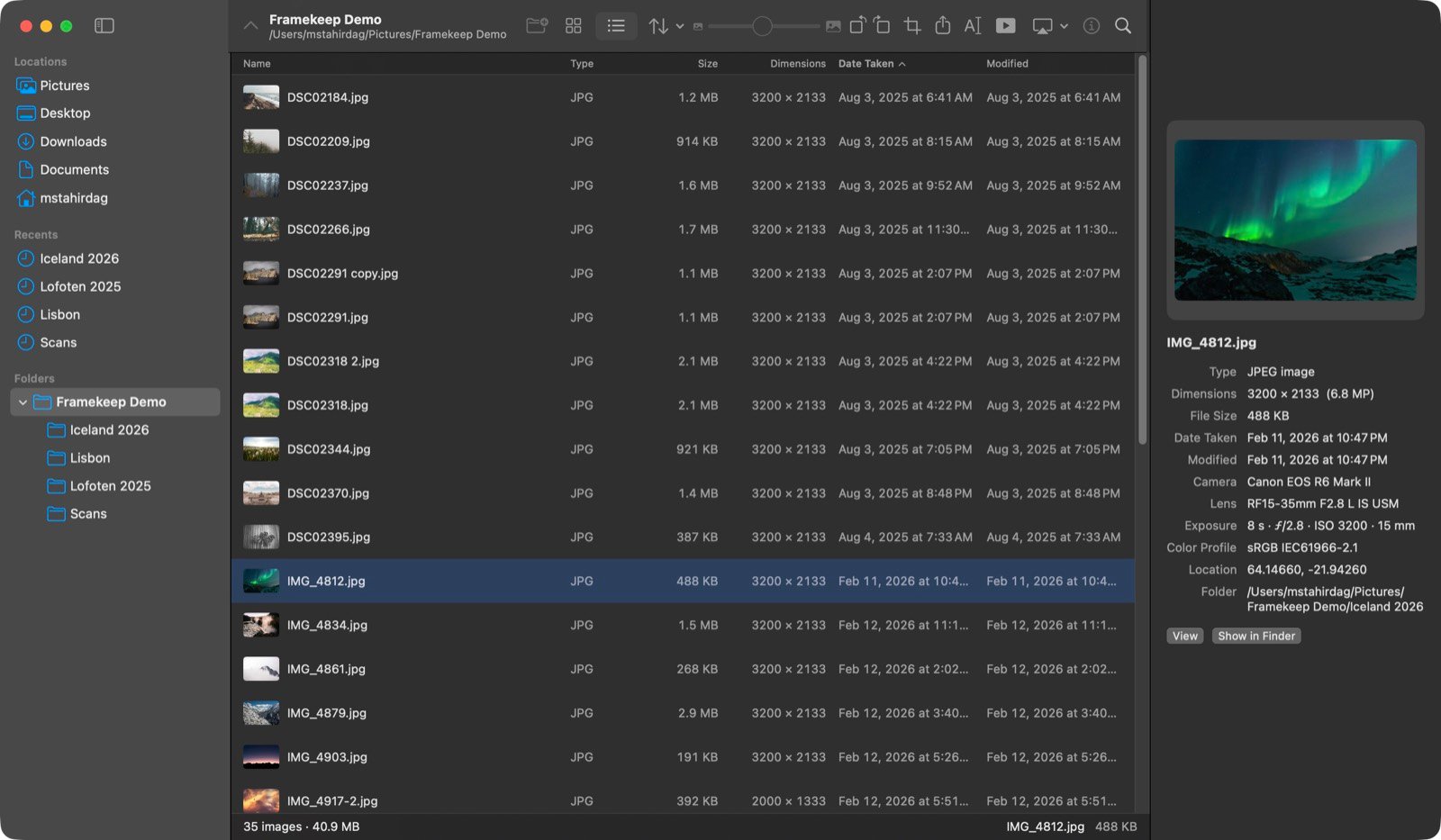
Point Framekeep at any folder — on your Mac, an external drive or a network share — and your images are there, in place, untouched. There is no catalogue to build and no import step to sit through. Sort by date taken, camera, resolution, file size or folder, and switch between thumbnails and a detailed list whenever you need the numbers.
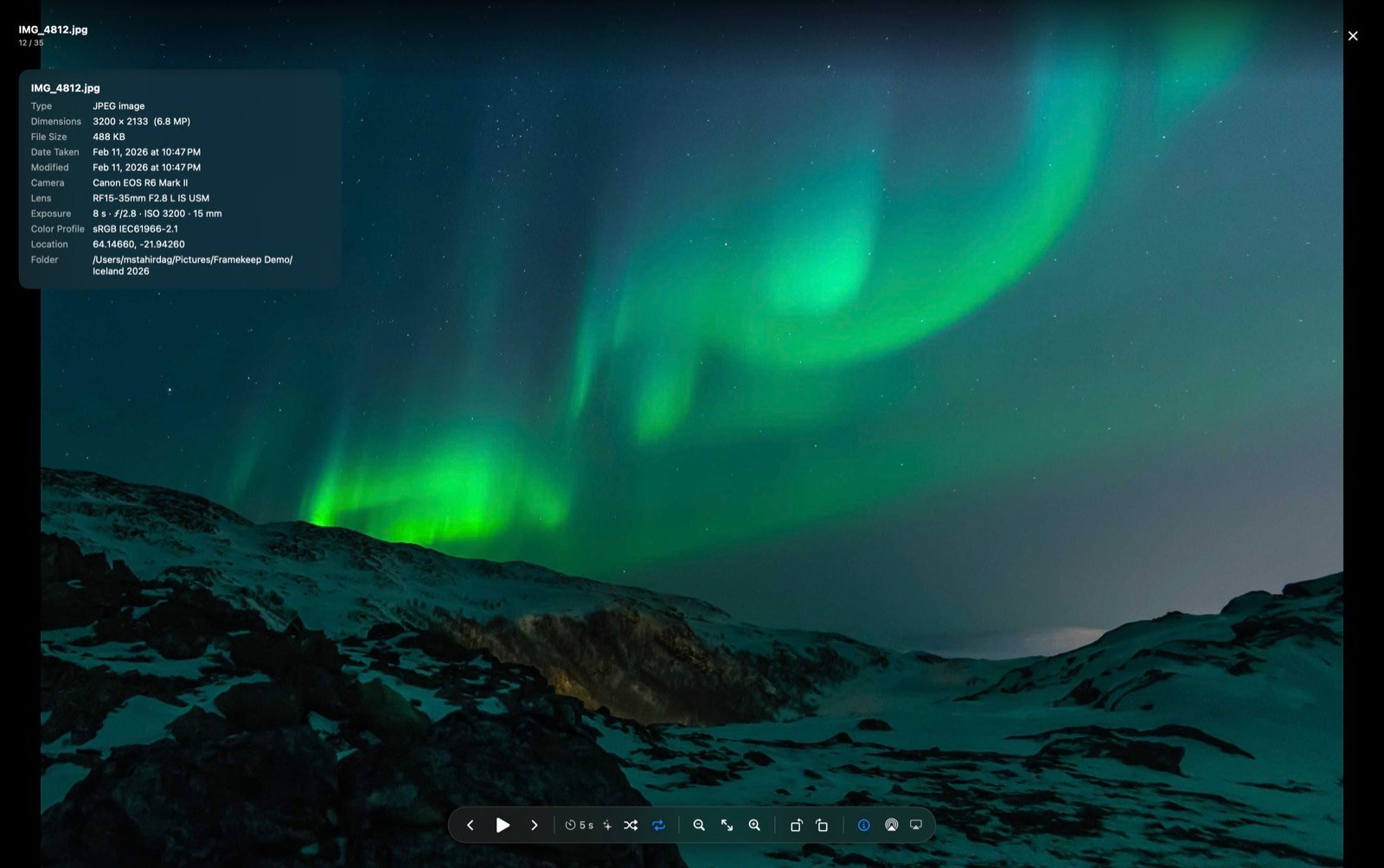
Full screen, edge to edge, with zoom, trackpad gestures and animated GIF support. Press a key for the full EXIF of the shot in front of you — lens, exposure, ISO, colour profile and location. Run a slideshow with crossfade, slide or Ken Burns transitions, and send it to your TV over AirPlay.
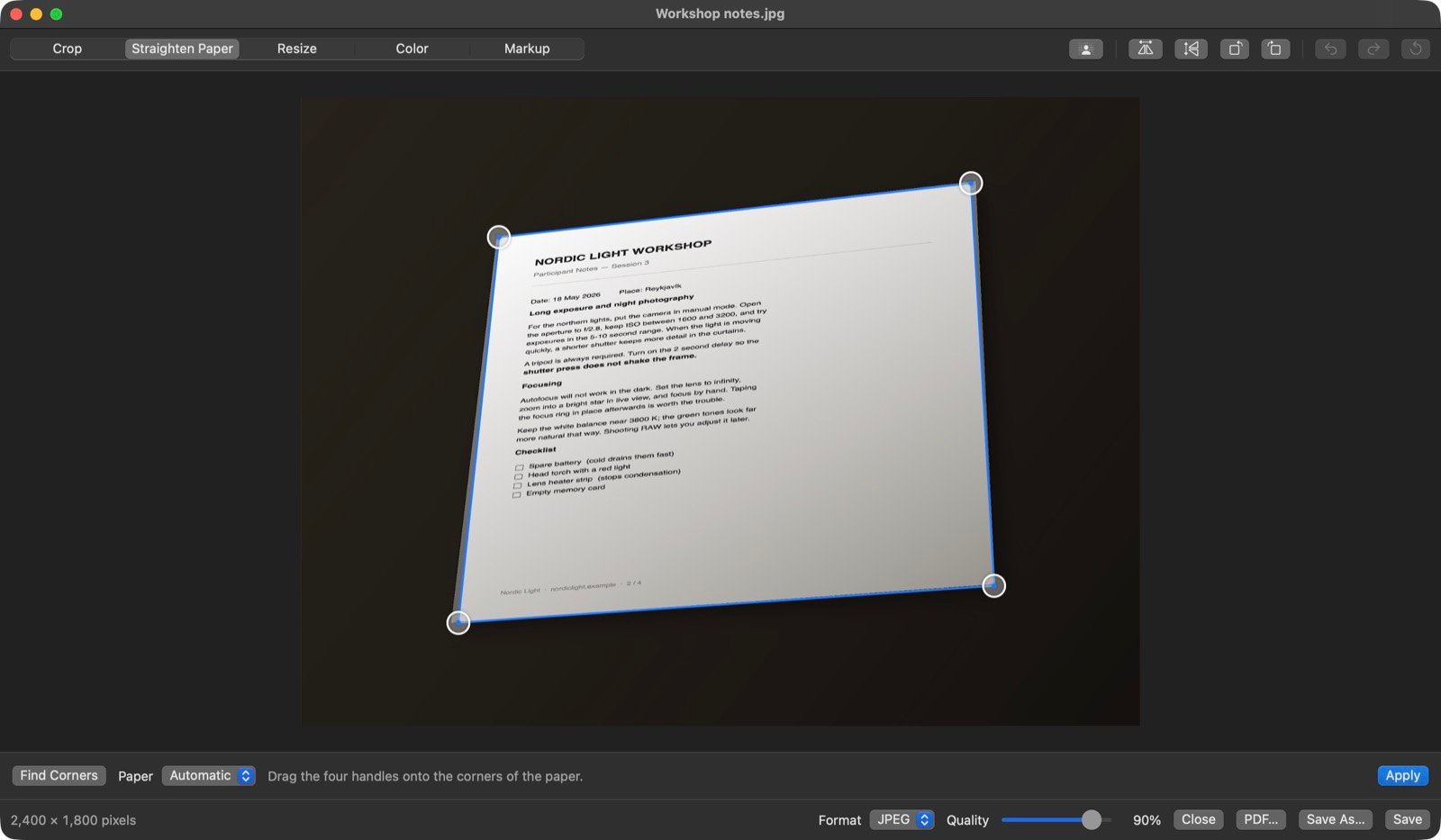
Photograph a page and Framekeep finds its four corners by itself, flattens the perspective and cleans up the uneven light from the room. Recognise the text on it, and save the result as a PDF you can actually search — including Turkish.
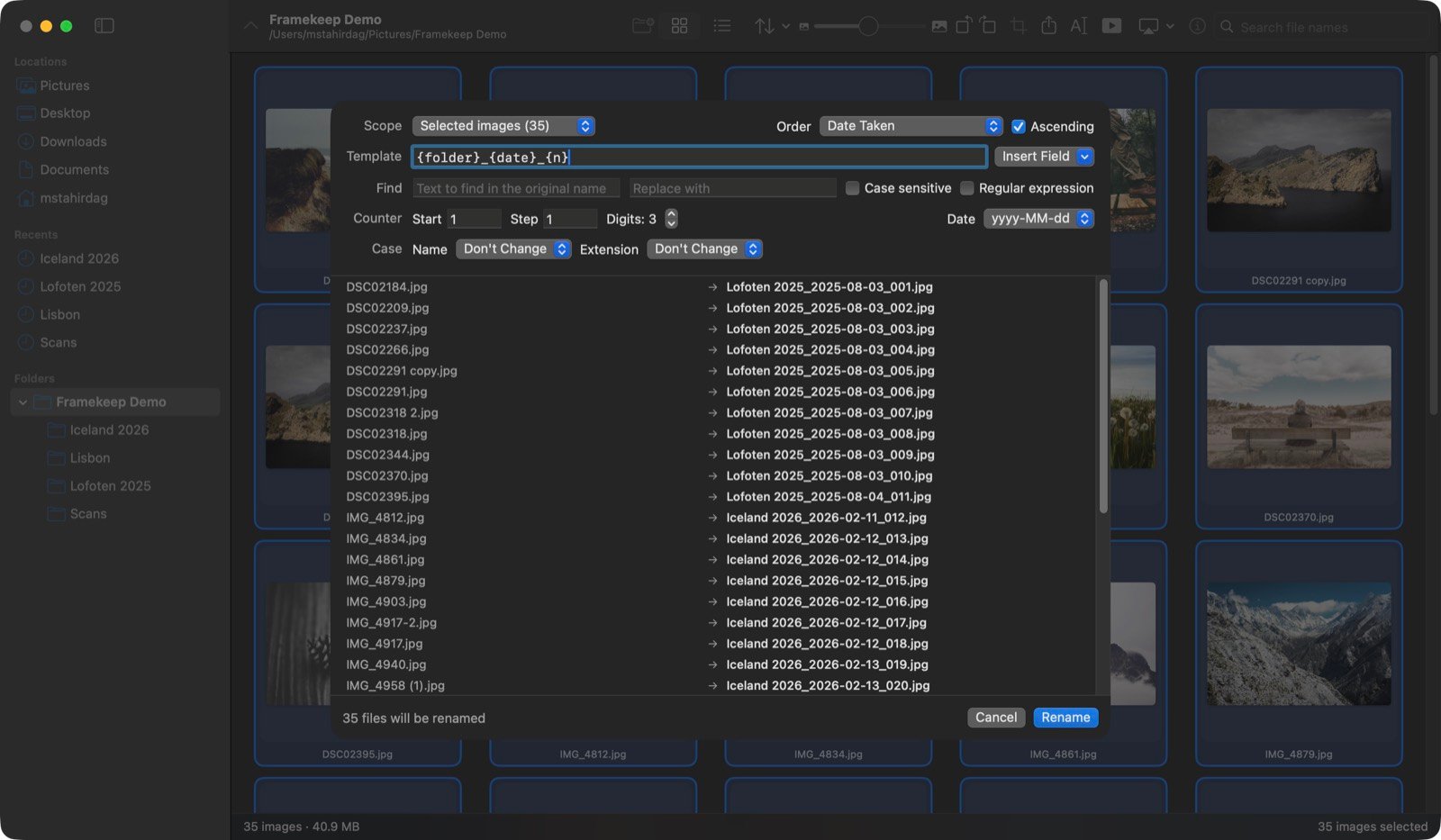
Build a name out of the date taken, the camera, the folder, the dimensions and a counter. Every single new name is listed beside its old one before you commit, and the rename refuses to start if anything would collide. Find-and-replace understands regular expressions when you need it to.
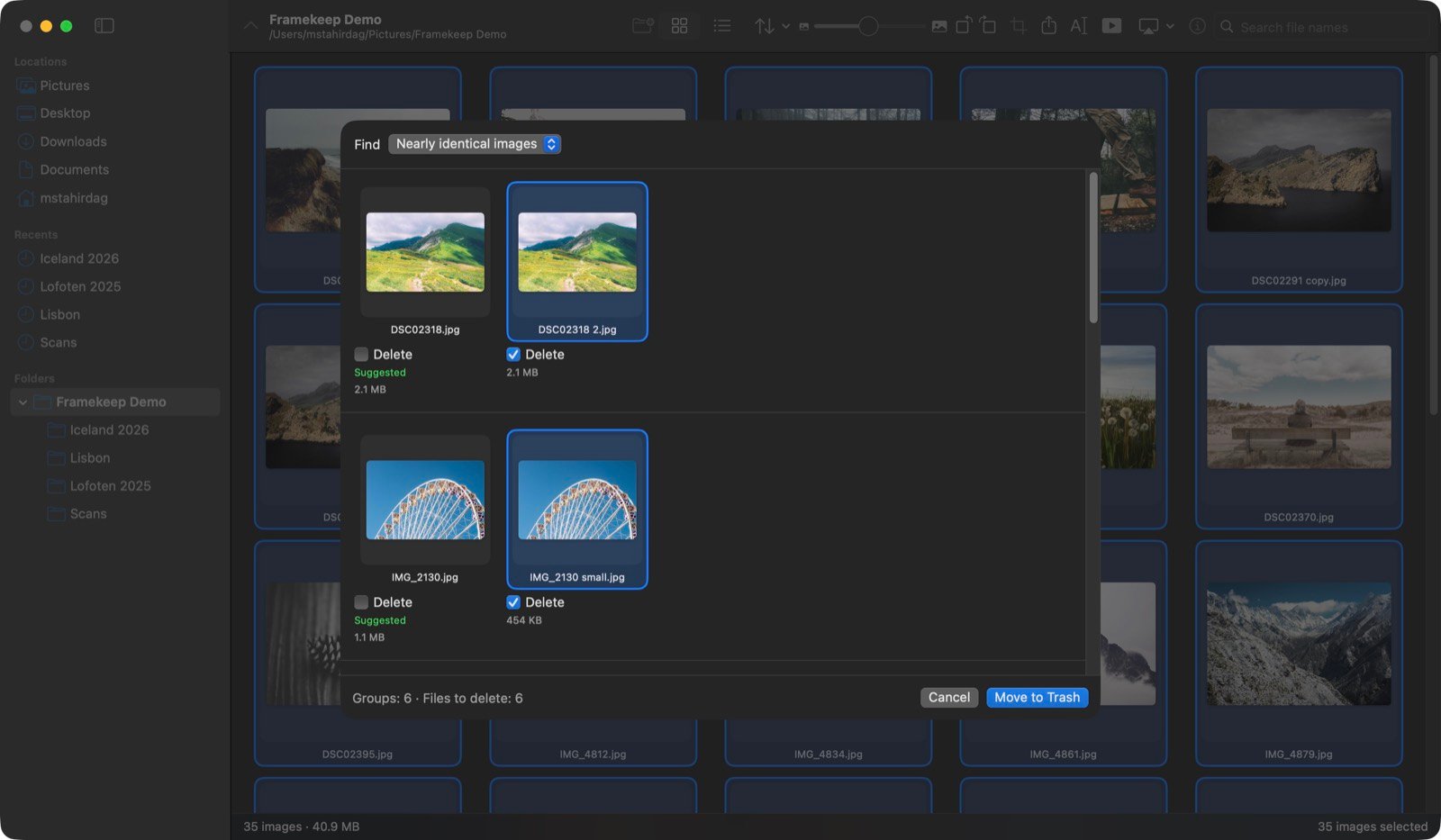
Three levels of matching: byte-identical files, near-identical images that survived a resize or a re-save, and visually similar frames from the same burst. Framekeep suggests the highest-resolution copy to keep and leaves genuinely different frames unticked. Nothing is deleted until you say so, and what goes, goes to the Trash.
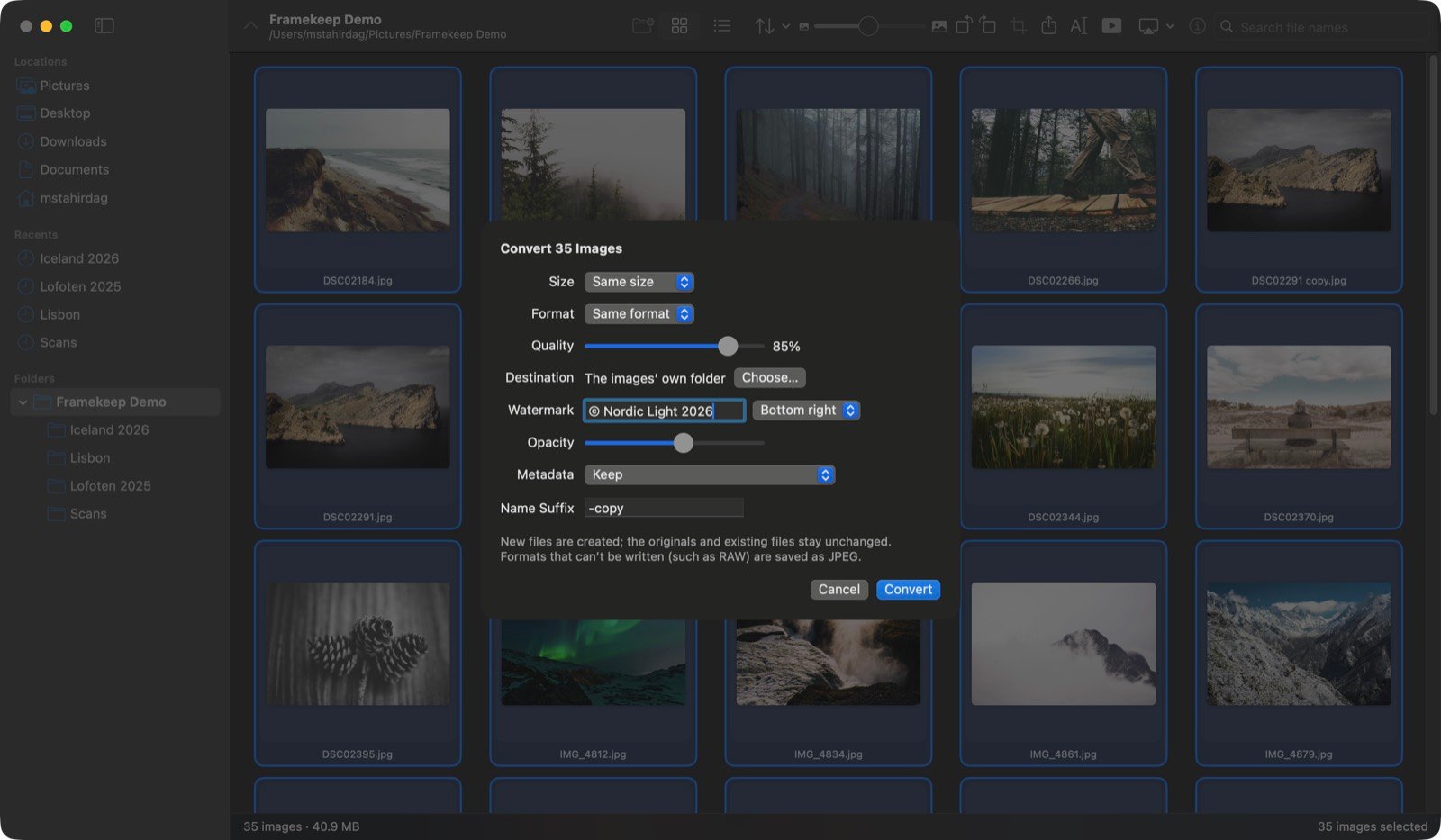
Scale by percentage or longest edge, change format and quality, add a text watermark and strip location or camera metadata on the way out. New files are written every time — your originals are never modified, and nothing existing is overwritten.
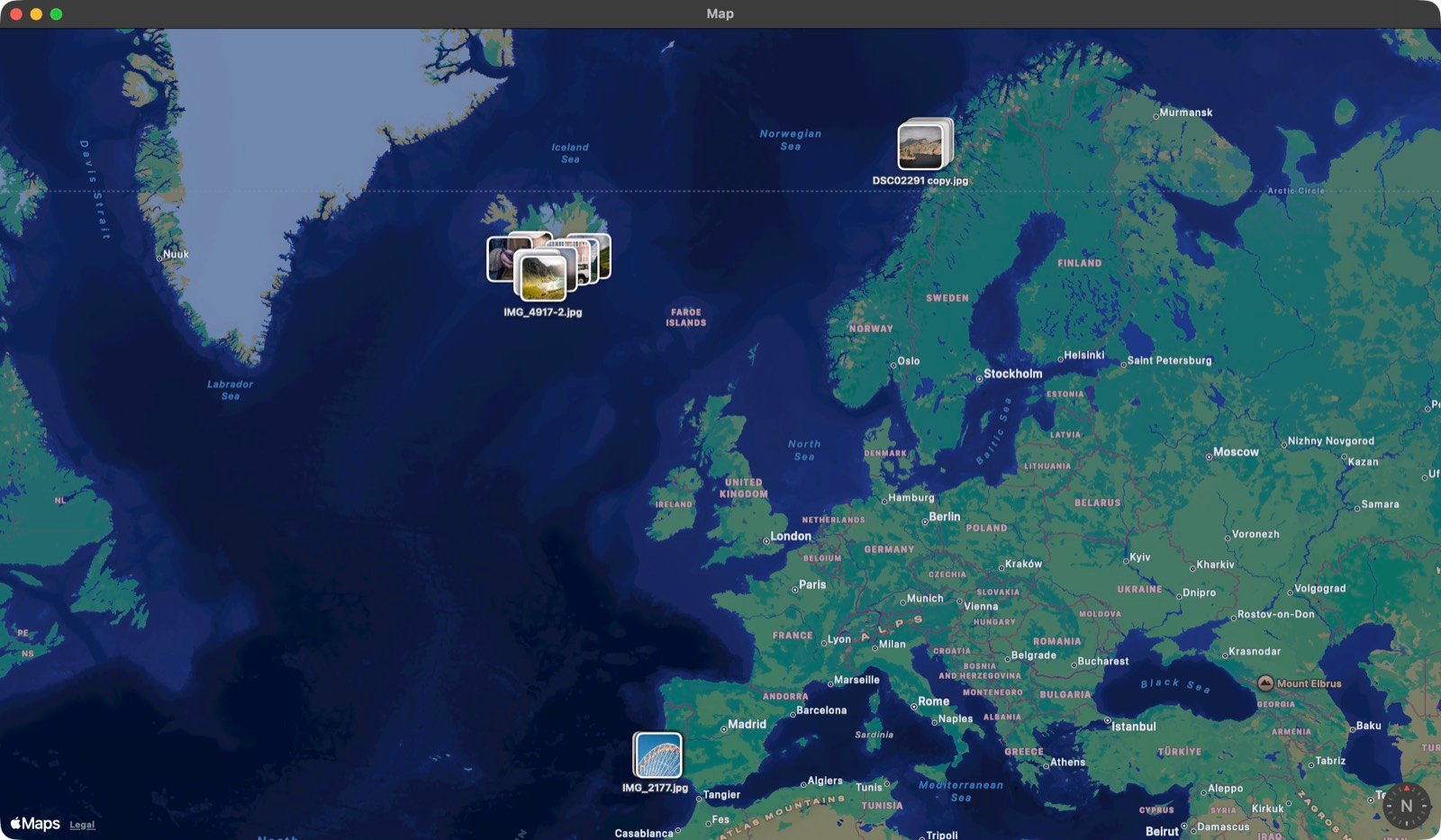
Photos carrying GPS data appear as pins on a map, clustered by place. Click one and the image is selected back in the browser.
Framekeep has no account, no sign-in and no analytics. We run no servers, so there is nowhere for your photos to go. Everything — editing, text recognition, background removal, duplicate detection — happens on your Mac using the frameworks built into macOS.
The app touches a network in exactly two places: the map view downloads its tiles from Apple, and an AirPlay slideshow is served to your TV over your own local network. Read the full privacy policy.
Framekeep is free to download, and everything you need to browse and view your images is in the free version. Pro is a single purchase that unlocks the editing and batch tools — not a subscription.
Free
One-time purchase · Family Sharing